




Published
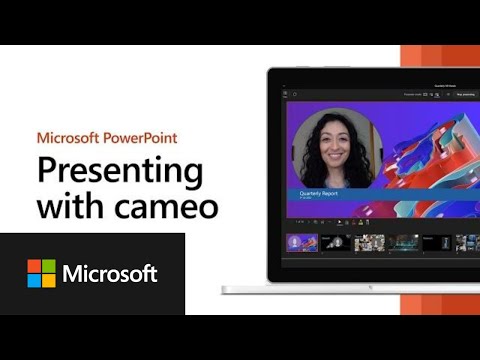
Cameo is a PowerPoint experience that seamlessly integrates your camera feed into your presentation, letting you customize how and where you want to appear on your slides and offering layout recommendations via Designer in PowerPoint for optimal viewing.
Learn more:
https://support.microsoft.com/en-us/office/presenting-with-cameo-83abdb2e-948a-47d0-932d-86815ae1317a
#Microsoft #Microsoft365
Learn more:
https://support.microsoft.com/en-us/office/presenting-with-cameo-83abdb2e-948a-47d0-932d-86815ae1317a
#Microsoft #Microsoft365
- Category
- Software
- Tags
- PowerPoint, cameo, experience
Sign in or sign up to post comments.
Be the first to comment
Up Next
-
01:29

How to share a file on the go with the Microsoft 365 App | Microsoft 365 TimeSavers
-
17:39
Presenting a high-quality media experience for all users
-
00:56
Microsoft 365 Insider: Power BI and PowerPoint Better Together
-
00:49
Microsoft 365 Insider: Be part of your presentation with cameo
-
00:43
Proudly presenting, ‘The Mercedes-Benz Weather Report’ ????⛈️ | #shorts
-
01:36
Using a laser pointer on your smartphone when presenting in PowerPoint
-
01:07
How to transform your PowerPoint presentations using Microsoft Copilot in PowerPoint
-
01:07
Microsoft 365 Copilot in PowerPoint
-
00:39
Say goodbye to boring slides with AI-assisted design in PowerPoint #shorts #microsoft #powerpoint
-
10:48
Introducing Microsoft 365 Copilot with Outlook, PowerPoint, Excel, and OneNote
-
03:45
How to Insert PowerPoint Icons in Office 365 Advanced PowerPoint Tutorial
-
00:34
Create an Org Chart on PowerPoint in less than 30 seconds #powerpoint #microsoft #shorts
-
00:38
Is this the most wholesome cameo ever? #superman #jamesgunn #willreeve #dc #movie #wholesome #cameo
-
03:03
Volvo Trucks - Presenting the new Volvo engine for Euro 6
-
00:26
Presenting the new Karaoke Web Standard...
-
02:34
Presenting The Cubic Robotics Team
-
00:26
Update fonts in a flash with Copilot in PowerPoint #Microsoft #shorts #copilot #ai #powerpoint
-
01:13
The Wall All-in-One: Presenting Park Seo-Bo's Masterpiece in New York | Samsung
-
01:04
Presenting, apps that challenge PowerPoint
-
00:50
Microsoft 365 Insider: Record customized camera feeds with cameo in PowerPoint
-
09:13
Effective controls for Microsoft 365 Apps in the Microsoft 365 admin center
-
03:09
Presenting the "Three-Six-y" Xbox Trivia Trophy - Unlocked
 Loading...