




Published
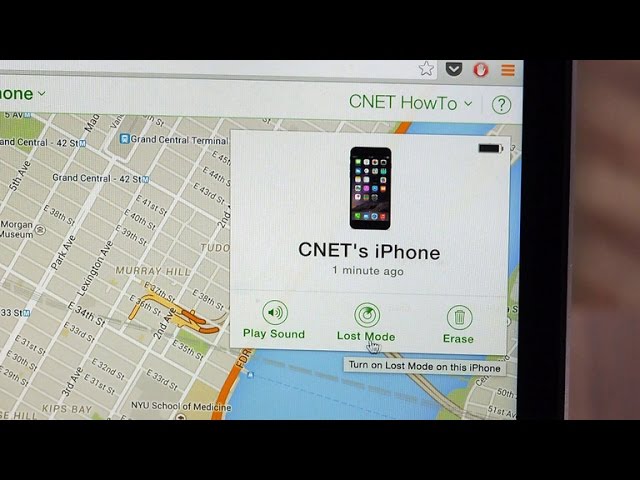
Lost your iPhone? Don't fret. CNET's Dan Graziano shows you how to disable Apple Pay and erase all of your old data.
- Category
- Tech News
Sign in or sign up to post comments.
Be the first to comment
Up Next
-
03:14

Morehouse College empowers students to continue academic excellence remotely with Surface Go 2
-
02:08
Sony Xperia Z3 Compact: High-end mini phone plays PS4 remotely (hands-on)
-
01:04
How to remotely troubleshoot a Windows 10 PC
-
01:09
5G lets you remotely perform surgery with a robot arm
-
01:17
How to disable annoying Android notifications
-
01:56
Apple Pay is the most secure way to pay, with a catch
-
03:49
I Rode in a Remotely Driven Car You Can Rent | Prove It
-
01:33
CNET How To - Disable annoying notifications on the Apple Watch
-
02:29
Volvo Trucks - Telematics Gateway: A communication system that services trucks remotely
-
00:56
Disable the Fire Phone's 3D feature
-
05:07
How Health Services Work Remotely - BBC Click
-
00:22
Two Features to Disable to Save iPhone Battery #shorts
-
01:35
Collaborate Remotely with NVIDIA GRID
-
01:05
The easy way to check if a phone is lost or stolen
-
00:40
Apple Pay — How to pay with Touch ID on iPhone — Apple
-
01:10
BACtrack View lets you breath test your friends remotely
-
08:32
Apple Pay vs. Samsung Pay vs. Google Pay: Which is best?
-
00:42
How to Lock and Unlock Your Doors Remotely with Mercedes me
-
00:17
How to pay in store with Apple Pay using iPhone. #Shorts
-
03:49
How to Monitor & Track Android Phone Remotely | KidsGuard Pro
-
02:55
Apple taking on Venmo? Apple Pay may let you pay friends
-
13:18
AirDroid: Remotely manage your Android from a Web browser
 Loading...