




Published
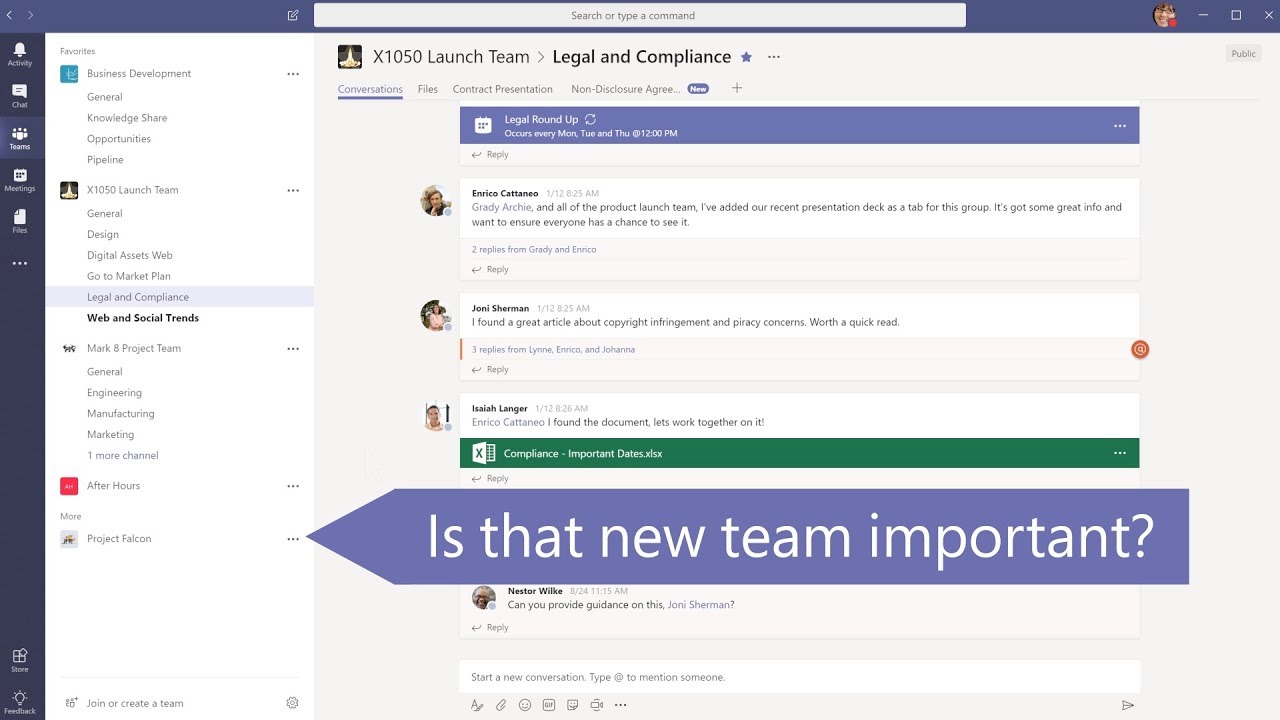
In Microsoft Teams, select Favorite next to the channel name to favorite a channel. To reorder your teams, select Teams, then click and drag the team name anywhere in your teams list. Learn more at the Office 365 Training Center:
Links:
Microsoft Teams:
Learn more at the Office 365 Training Center:
Links:
Microsoft Teams:
Learn more at the Office 365 Training Center:
- Category
- Software
Sign in or sign up to post comments.
Be the first to comment
Up Next
-
11:38

Organize Exports and Smart Destination for Your Photos
-
02:02
How to organize with Microsoft Edge | Simply Windows
-
03:33
Organize your digital life
-
39:31
Organize business information with Microsoft Lists
-
00:23
Teams helps you roll through your meetings with ease #microsoft #shorts #teams #rollerskates
-
01:32
How to create a list in Microsoft Teams
-
02:09
Microsoft Create: How to organize and track your expenses using Excel
-
39:52
Enabling hybrid work with Microsoft Teams: Microsoft Teams Security - Ask Me Anything
-
01:53
Organize your Inbox with rules in Outlook 2016
-
02:23
Organize your tasks in Planner with Grid View
-
11:29
Organize All Your Files & Folders in 3 Clicks or Less!
-
00:51
One UI 4: Organize your Galaxy, your way. | Samsung
-
09:49
How to Visually Organize Ideas and Share Them With Your Team | Walling App
-
39:22
Enabling hybrid work with Microsoft Teams: Microsoft Teams Security
-
01:30
Organize your cookie party: 3,000 cookies. One Weekend. (Microsoft Explore)
-
02:21
Organize, track, and collaborate with Project in Microsoft Teams
-
03:55
Microsoft debuts Windows Story Remix to edit and organize your photos and videos
-
45:56
120 CLEVER Amazon Gadgets That Will ORGANIZE Your LIFE!
-
03:56
iOS 10 Tweaks: Priority Hub 2 Beta - Organize Your Notifications
-
17:28
Microsoft Teams EDU and Approvals in Teams | Feature Focus with Microsoft MVPs: S6-5
-
01:08
How to use Planner in Microsoft Teams to organize team tasks | Microsoft 365 TimeSavers
-
01:01
Organize your Memory cards properly!
 Loading...